whatsapp rest) built on whatsmeow.
The Quickstart uses the stable release. The API reference tracks GOWA’s main branch, including changes merged after a release. Use GET /app/info to check the version you run and consult the release notes for feature availability.
What one server gives you
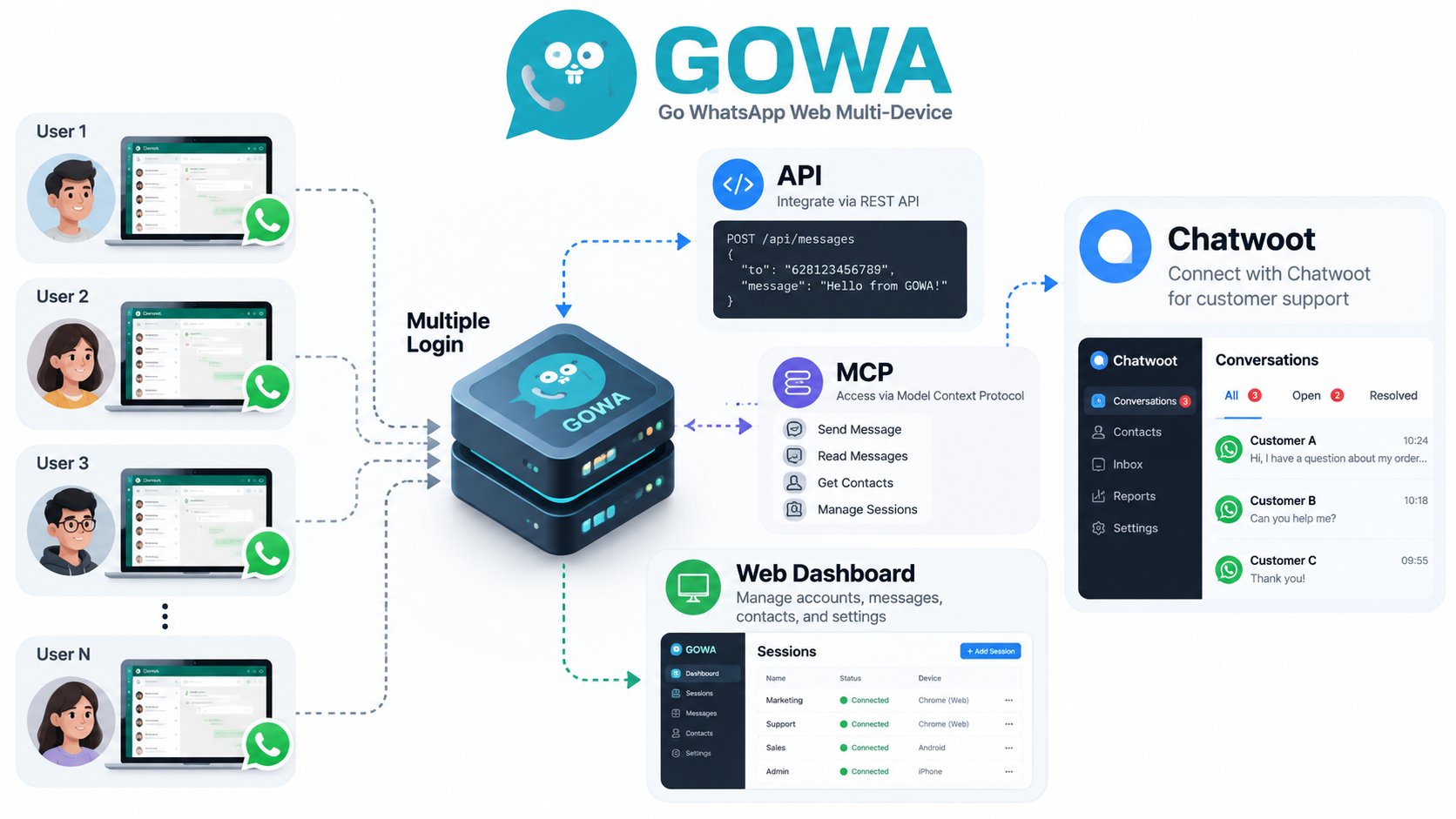
Multiple accounts
Run several WhatsApp numbers on one server. Each is a device slot, selected per request with
X-Device-Id.REST API
Send text, media, polls, locations and contacts. Manage chats, groups, newsletters and your profile.
Webhooks
Signed HTTP callbacks for messages, receipts, reactions, group, call and newsletter events.
Scheduled sends
Schedule supported send types once or on a daily, weekly or monthly repeat.
MCP server
Streamable-HTTP MCP endpoint at
/mcp so AI agents can send and read messages.Chatwoot
Mirror WhatsApp conversations into a Chatwoot inbox and reply from Chatwoot.
/ for pairing devices and trying the API by hand.
See interactive messages for experimental buttons and carousels, newsletters for channel subscriptions, and server metrics for monitoring.
Get started
1
Run GOWA
Start it with Docker or a release binary. See the Quickstart.
2
Create a device and pair it
POST /devices, then scan the QR code or use a pairing code. See Authentication.3
Send a message
POST /send/message with Basic Auth and X-Device-Id.4
Receive events
Point
WHATSAPP_WEBHOOK at your endpoint. See Webhooks.Not included
- Official SDKs. There are none. Call the HTTP API directly (see Client examples) or generate a client from the OpenAPI spec. A community n8n node exists:
@aldinokemal2104/n8n-nodes-gowa. - Rate limiting. GOWA does not throttle requests. See Sending limits.